
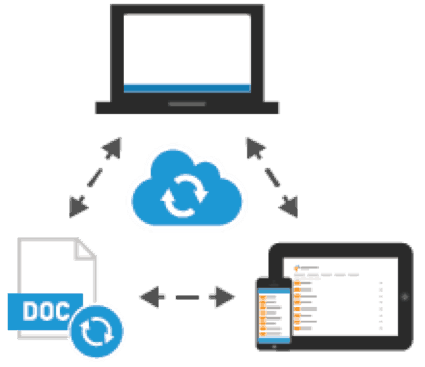
Sync Files Across All Devices
- Sync files across desktops, mobile devices, and the web
- Support for Windows and Mac with familiar drag-and-drop functionality
- Mobile apps for iPhone, iPad, Android, and Windows phone
- Files and folders are available from a web browser
Outlook and Office Integration
- Save files to ShareSync directly from Word, Excel, and PowerPoint
- Lock shared files to prevent conflicts
- Restore previous versions
- Send attachments as ShareSync links to reduce email storage
- Real-Time Co-Editing with Microsoft Office 365™
Business Grade Security
- Data encryption-at-rest and in-transit
- Unique account security key
- Only authorized users can access ShareSync
- Strong password policies are enforced
- Mobile devices can be further secured with a ShareSync passcode
- ShareSync data can be remotely wiped from virtually any device – including desktops and laptops
- Audit Log tracks all ShareSync events on an account
Share Folders and Files
- Share folders with co-works or external users via the web with one click
- Control access with “Co-Owner”, “Modify”, and “View” permissions
- Set different permissions for sub-folders
- Files can be viewed even if the recipient doesn’t use ShareSync
- Shared links are secure, but can be further protected with a password
HIPAA Compliant
- 256-bit encryption for at-rest and in-transit data.
- Unique encryption key for each account (much better than sharing keys between customers)
- 99.999% uptime SLA.
- SSAE 16 SOC2 Type II Reports.
- Reporting and audit trail of account activities on both users and content.
- Administrators can remotely wipe data from any registered device.
- Security systems that guard against unauthorized access to ePHI during electronic transmission, whether in email and attachments or during the file-sharing process.
- Both electronic and physical security to protect ePHI wherever it is stored. Technology and policies to secure ePHI from improper alteration or destruction.
Better Than Backup
- Backup Personal Files and Folders
- Desktop
- My Documents
- Downloads
- Music, Pictures, & Videos
- Admin Policy for Backup Folder Selection
- Point in Time Recovery
ShareSync Videos
Unlimited
USD14.99/User
- All features
- 5 User Minimum
- Storage Pooled Across Users
100 GB
USD9.99/User
- All features
- No user minimum
- Storage Pooled Across Users
10 GB
USD4.99/User
- All features
- No user minimum
- Storage Pooled Across Users
Frequently Asked Questions
Can I use one account across multiple devices ?
Yes, you can have Sharesync on multiple devices. When you add a file on one device, ShareSync will transfer it to your other devices automatically.
Have more Questions ?
Feel free to drop us a line anytime.